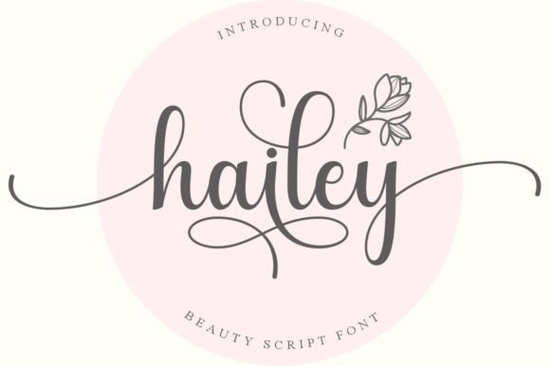
If you're tired of generic typefaces and want something that feels personal and artistic, a well-crafted handwritten font can transform your entire project. The Hailey Font is one of those rare finds – a delicate, elegant, and flowing script that manages to be both distinctive and timeless. Whether you're designing wedding invitations, branding a boutique, or creating social media graphics, this font adds a graceful handcrafted feel that digital tools rarely achieve.
Why does PUA encoding matter for handwritten fonts?
You might see “PUA encoded” on font listings and wonder if it matters. It absolutely does, especially for script fonts with decorative extras. PUA (Private Use Area) encoding means you can easily access every alternate character, swash, ligature, and tail without needing special software. With the Hailey Font, that translates to hundreds of extra glyphs – elegant loops, flourishes, and alternate letters – that you can insert with a simple keystroke in programs like Adobe Illustrator, Photoshop, or even Canva. No more copying and pasting from obscure character maps. This makes a huge difference when you're crafting something like a custom logo or a hand-lettered quote. The swashes alone can turn a plain word into a work of art.
How can you pair Hailey Font with other script fonts?
Using one beautiful handwritten font is great, but pairing it with complementary scripts can elevate your design even further. Because Hailey has a light, airy feel, it works well next to fonts that have a bit more weight or a different rhythm. For instance, the sturdy charm of the Country Kitchen font adds a rustic contrast. If you want something with a bouncy, modern vibe, Ashley Southine blends nicely as an accent word or headline. You can also try layering Hailey with a simpler, all-caps font like Sunshine for a cheerful combo that still feels handwritten. The key is to let Hailey carry the emotional weight – its flowing strokes are the star – and use a second font only for short words or numbers. If you're looking for more ideas, explore the handwritten fonts category for similar options. Another wonderful pairing is with the Pink Vibes Duo font – its two styles (one script, one sans) give you even more versatility for posters, product labels, or wedding suites.
What types of projects suit a flowing handwriting style?
Honestly, almost anything that needs a human touch. But here are a few places where the Hailey Font really shines:
- Print-on-demand products – think t-shirt quotes, mugs with uplifting phrases, or tote bags with a single word in that elegant script.
- Wedding and event stationery – save-the-dates, invitation envelopes, thank-you cards, and place cards look stunning with delicate flourishes.
- Social media graphics – use it for Instagram quotes, Pinterest pins, or YouTube thumbnails to stand out from cluttered feeds.
- Logo and branding – small businesses, especially in beauty, fashion, or lifestyle, can use Hailey as a primary or secondary logo font to convey elegance and approachability.
- Digital planners and journal covers – add a sophisticated script to your planner stickers or cover pages.
- Creative crafts – scrapbooking, card making, or even embroidery patterns benefit from a font that looks hand-drawn.
Since the font is PUA encoded, you can mix and match swashes to create custom wordmarks without any extra work. That's a huge time-saver if you're running a small print-on-demand shop and need to make dozens of variations quickly.
Where can you find quality handwritten fonts that don't break the bank?
Creative Fabrica is one of the best resources for commercial-use fonts at a flat subscription rate. You get unlimited downloads, which means you can grab the Hailey Font along with hundreds of others like Country Kitchen (great for farmhouse-style designs) or the bold calligraphy of Ashley Southine. The platform also offers the whole handwritten fonts collection, so you can find the exact style for every project. If you're on a budget, start with one versatile script like Hailey and then expand your library over time. Many designers pick up a new font every month and build a toolkit that covers everything from elegant invitations to playful logos.
Practical checklist before you start using Hailey Font
Before you dive into your next design, here's a quick to-do list to make sure you get the most out of this font:
- ✔ Download and install it – works on both Windows and Mac. Restart your design software if it doesn't appear immediately.
- ✔ Open the glyph panel – in Illustrator or Photoshop (Window > Glyphs) to browse all the swashes and alternate letters. For Canva, use the “Special characters” option after selecting the font.
- ✔ Test with a short word – try “love,” “hello,” or your own name to see how the letters connect and which swashes you like.
- ✔ Pair it with a simple sans serif – for body text or secondary headlines, use a clean font like Roboto or Montserrat so Hailey stays the focal point.
- ✔ Check commercial license – Creative Fabrica's license generally covers physical products and digital items for sale, but read the specific terms to be safe.
- ✔ Practice with swashes – some swashes sit at the beginning or end of a word. Use capital letters or specific PUA codes to insert them. Save a few favorite combos in a separate file.
Next step: If you're still deciding, grab the free version of the Hailey Font from the product page and test it on a real project. You'll quickly see if its elegant flow matches your style. And don't forget to explore other scripts like Country Kitchen or Sunshine for variety – sometimes one font isn't enough for all your ideas.
Learn More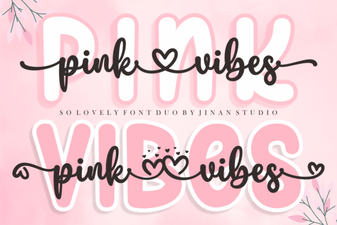 Introducing the Pink Vibes Duo Font Design System
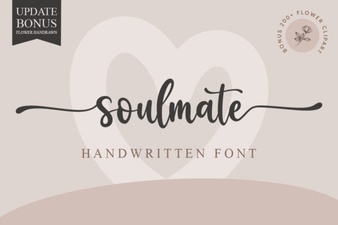 Soulmate Font for Love Letters & Creative Projects
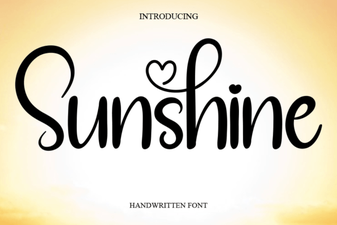 Sunshine Fonts: Bright Designs for Creative Projects
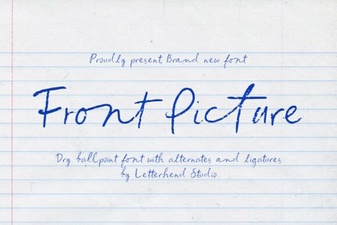 Mastering Front Page Typography for Impactful Designs
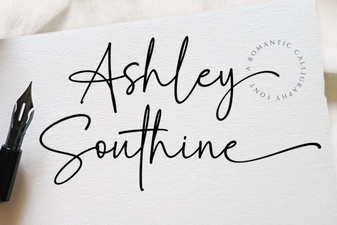 Ashley Southine: Creative Typography Ideas
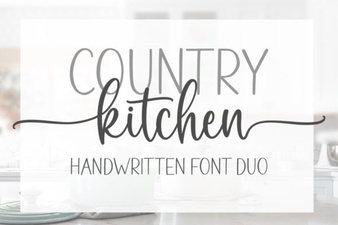 Country Kitchen Fonts for Home Decor Projects