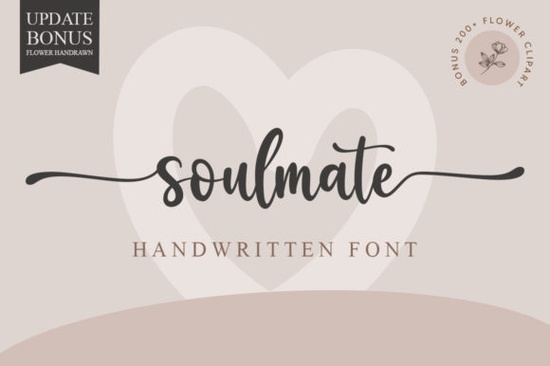
If you're looking for a handwritten font that feels both elegant and modern, Soulmate Font is worth a close look. This stylish script works beautifully on wedding invitations, thank-you cards, quotes, greeting cards, logos, and business cards. It gives every design a natural, hand-lettered charm without losing a polished finish. Since it's PUA encoded, you can access all the glyphs and swashes directly from your design software, which makes customizing your text much easier.
What makes Soulmate Font a good choice for wedding invitations?
Wedding stationery often needs a balance of romance and readability. Soulmate Font delivers that with its smooth strokes and graceful curves. The lowercase letters flow together naturally, while the alternate swashes let you add decorative flourishes to key words like "love" or "together." If you're designing invites for a rustic or garden wedding, this font fits right in. For a bolder, more dramatic style, you might also check out Victory Swing, which offers a heavier calligraphy feel.
How can you use Soulmate Font for branding and small business projects?
A handwritten font can make a brand feel personal and approachable. Soulmate works especially well for logos on skincare products, coffee shops, or boutique clothing lines. Pair it with a clean sans-serif for headers to keep the overall look professional. For logo mockups or social media graphics, you can combine Soulmate with Pink Vibes Duo a playful script that adds a fun contrast. Just remember to keep the text short when using swashes; too many flourishes can reduce readability on smaller screens.
Which design projects benefit most from this font?
- Greeting cards and thank-you notes – The handwritten style feels personal and warm.
- Quote prints for home decor – Use a single swash on the first letter to draw attention.
- Business cards – Soulmate looks elegant on matte or textured paper.
- Social media overlays – Combine with a bold serif for contrast.
Where can you find complementary script fonts to pair with Soulmate?
When you need a second script for accents or subheadings, look for fonts that share a similar stroke width but have a slightly different rhythm. Sunshine Font is a lighter, bouncier script that pairs well without competing. For a more formal option, Ashley Southine offers a refined cursive that matches the elegance of Soulmate. Both are available as part of the same script font collection on Creative Fabrica. You can also browse the full Soulmate Font listing for a preview of its complete character set.
How do you access the extra swashes and glyphs?
Because Soulmate is PUA encoded, you don't need special software to use the alternates. In programs like Adobe Illustrator, Photoshop, or Procreate, open the Glyphs panel (Window > Type > Glyphs). If you're using a design app that doesn't support glyph panels directly, you can copy and paste characters from a font map. Alternatively, use Creative Fabrica's own font preview tool to test swashes before downloading. Many script fonts in the same category, like Victory Swing and Pink Vibes Duo, also include PUA encoding, so the same workflow applies.
Which character alternates should you look for?
- Swash capitals – perfect for starting a word with a flourish.
- Alternate lowercase "y" and "g" – some have longer tails for a more dramatic look.
- Ligatures – sets of two or three letters that combine into one smooth shape.
What print-on-demand products work well with Soulmate Font?
POD sellers can use Soulmate on T-shirts, mugs, tote bags, and pillows. The script is clear enough for fabric printing, but keep your text lines short to avoid readability issues. For holiday or seasonal designs, try pairing Soulmate with a delicate icon or border. If you prefer a more casual vibe, Sunshine Font works well for summer-themed merchandise. Always test your design at actual print size to make sure the flourishes don't get lost.
Quick checklist before you start designing
- ☐ Download the font and install the full family (include all weights if available).
- ☐ Open the Glyphs panel and pick a few favorite swashes to use consistently.
- ☐ Set your leading (line spacing) to at least 1.4 for body text in quotes or cards.
- ☐ Test the font on a mockup to see how it reads at small sizes (under 14pt).
- ☐ If you're selling digital templates, include a note that the buyer needs a compatible app to use PUA features.
Next step: Try Soulmate Font on a single project like a save-the-date card or a thank-you note. Once you see how the swashes behave, you'll know exactly where to apply them in larger designs. For more script font options, browse the Creative Fabrica library using Soulmate Font as a starting point.
Download Now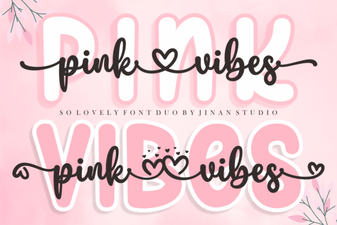 Introducing the Pink Vibes Duo Font Design System
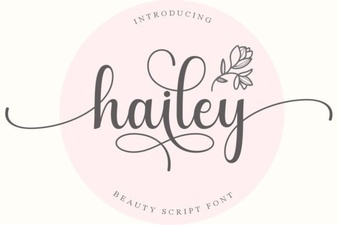 Discover the Creative Power of Hailey Font
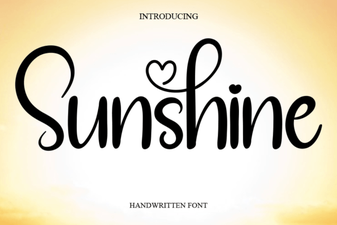 Sunshine Fonts: Bright Designs for Creative Projects
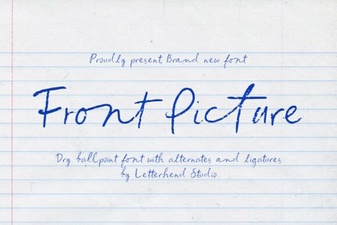 Mastering Front Page Typography for Impactful Designs
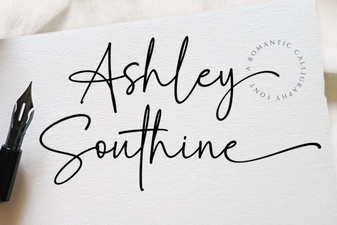 Ashley Southine: Creative Typography Ideas
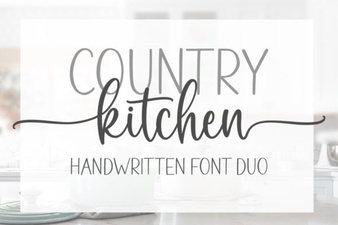 Country Kitchen Fonts for Home Decor Projects