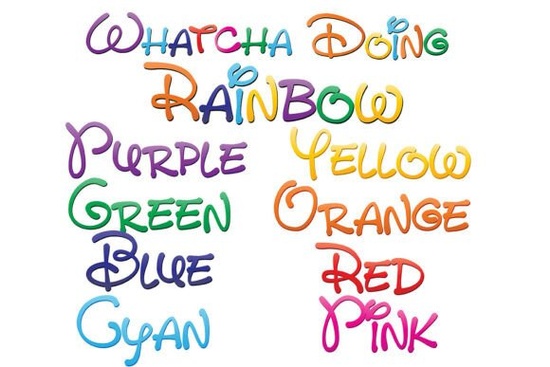
If you're looking for a playful, hand-drawn style that immediately grabs attention, the Whatcha Doing Font is worth a closer look. This set includes nine full-color fonts with a whimsical handwritten feel, each drawn in a different gradient of the rainbow plus a ninth font that blends all eight colors together. Because it’s an OpenType SVG font, installing it works like any normal .otf file, but the real magic appears only in compatible software.
How do I install and use full‑color SVG fonts?
Installing the Whatcha Doing Font follows the same steps as a standard font: Mac users open Font Book, Windows users go to Control Panel > Fonts (or use a font manager). But remember color fonts will show up as black in programs that don’t support them. Even in compatible apps, the preview window may display black, but once you start typing in your document, the colors appear. Adobe products, Silhouette Studio, Quark, and Inkscape all support these full‑color SVG fonts. If you’re using Canva or a simple text editor, you’ll see a regular black outline instead.
What can I make with a rainbow hand‑lettered font?
Because the Whatcha Doing Font comes in nine different color variations (eight individual rainbow gradients plus one multicolor), you have plenty of creative options:
- Social media graphics – Quotes, announcements, or event posts that pop off the screen.
- Print‑on‑demand products – T‑shirts, mugs, tote bags, and phone cases with a cheerful, hand‑drawn look.
- Party invitations and greeting cards – The gradient colors add a festive, celebratory mood without needing extra design work.
- Children’s book covers or educational materials – The whimsical style feels friendly and approachable.
- Logo headlines for small businesses – A bold, colorful wordmark that stands out on websites or packaging.
Because SVG fonts are vector‑based, you can scale the text to any size without losing sharpness. That makes them ideal for everything from a small sticker to a large banner.
Which design programs actually show the colors?
If you’re a designer or crafter, you’ll likely use one of these programs:
- Adobe Illustrator & InDesign – They handle color SVG fonts well (type the text and the gradient appears).
- Silhouette Studio – Perfect for cutting machine projects where the color remains intact.
- Inkscape – Free and supports full‑color fonts.
- QuarkXPress – Another professional layout tool that works.
If you work mostly in Canva or Microsoft Word, the font will appear black. Always test a sample before investing time in a project.
Tips for getting the best results with color fonts
- Use a clean background – The rainbow gradients pop best against white, black, or a solid neutral.
- Pair with simple graphics – Let the font be the star; avoid busy patterns that compete with the colors.
- Layer text for depth – Combine the multicolor font with one of the single‑gradient versions to create a shadow or outline effect.
- Check your export format – Save as PNG or SVG to preserve the colors. PDF works too, but test with the recipient’s viewer.
Why choose a full‑color SVG font over a regular one?
Regular fonts let you choose one fill color. With Whatcha Doing Font, you get built‑in gradients that would otherwise take extra steps to apply. The hand‑written style adds personality, and the rainbow palette feels joyful without being overwhelming. For anyone selling print‑on‑demand items or creating graphics on a tight schedule, it’s a time‑saver that still looks custom.
If you’re curious about other creative font sets, take a look at similar colorful fonts in our collection that also work in SVG‑compatible software.
Quick checklist before your next project
- ✔️ Confirm your design software supports OpenType SVG color fonts.
- ✔️ Install the .otf file using Font Book (Mac) or Control Panel (Windows).
- ✔️ Test the font by typing a few words in your document to see the colors.
- ✔️ Choose the right gradient (one of the eight single‑color fonts or the multicolor version) for your design.
- ✔️ Export as PNG/SVG or print directly from a compatible app.
Next step: Download the Whatcha Doing Font and try it on a simple project like an Instagram story quote. You’ll see right away how the rainbow gradient transforms plain text into a focal point.
Learn More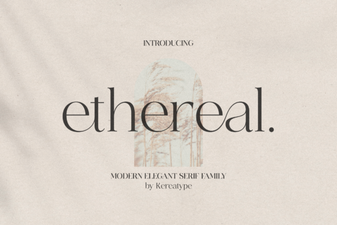 Elevate Your Designs with the Ethereal Font
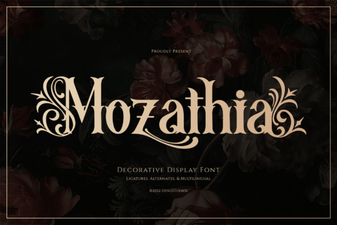 Mozathia: a Creative Font for Modern Design
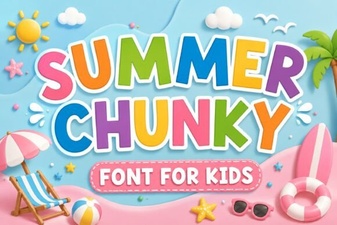 Creative Chunky Fonts for Your Summer Designs
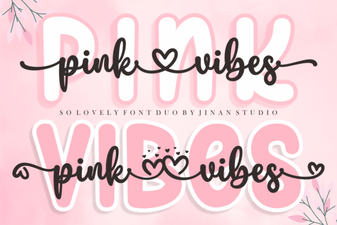 Introducing the Pink Vibes Duo Font Design System
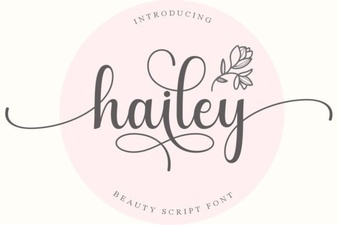 Discover the Creative Power of Hailey Font
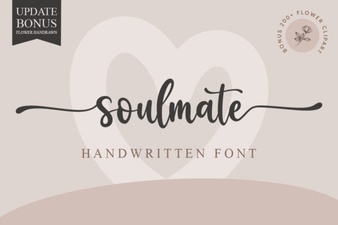 Soulmate Font for Love Letters & Creative Projects